
Anchor block tune for Editor.js
This Editor.js block tune enables users to add or remove an anchor to any block tool. Anchors provide the ability to target specific HTML elements within a webpage, aiding in seamless navigation.
A few points to note:
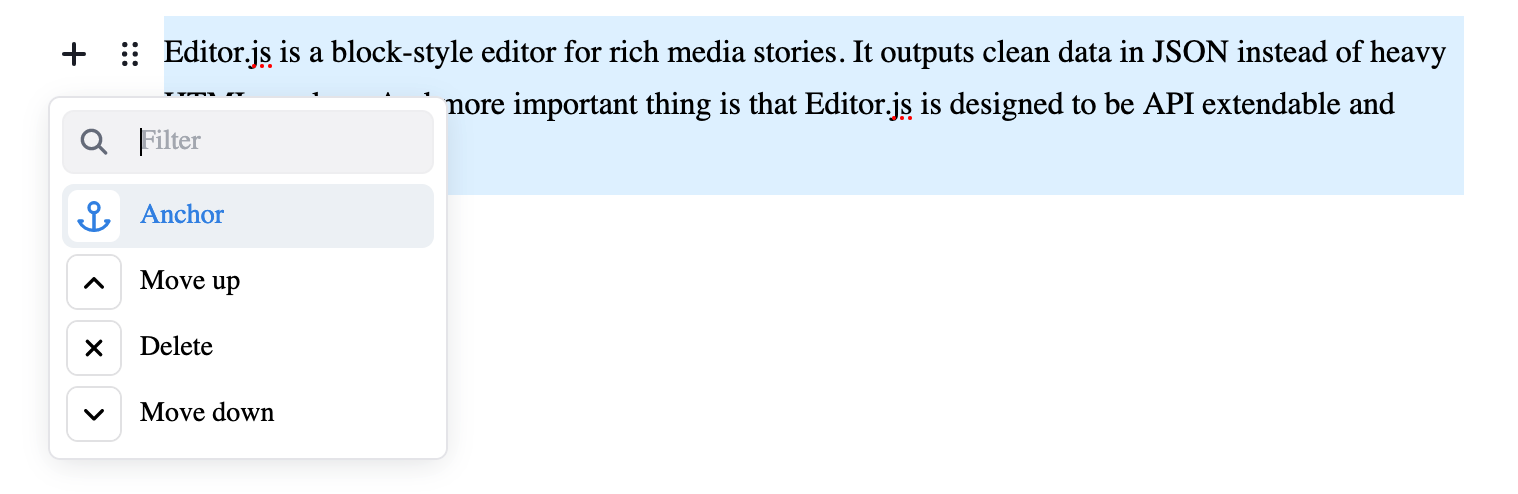
- This block tune can be accessed from the Block Settings menu (see Preview).
- This button functions as a toggle, allowing you to effortlessly add or remove an anchor with a click. When an anchor is added, the button color changes to indicate its selected state.
- No string input is required for the anchor. When this block tune is selected, it automatically picks the first 30 characters (or user-configured length) from the block text. And if the block text is empty, no anchor will be added.
- The anchor value does not automatically update with changes to the block text.
- To avoid unsafe URL chracters and to improve readability, only a few characters (from the block text) are retained for the anchor value.
- All characters except these will be ignored: a-z, 0-9, _ (underscore), - (hyphen).
- The anchor value will begin and end with a alpha-numeric character, other trailing and leading characters are ignored.
- Whitespace between the words is replaced with an underscore.
Preview
Installation
Using npm
sh
npm install @coolbytes/editorjs-anchorUsing yarn
sh
yarn add @coolbytes/editorjs-anchorUsage
To make it available to all block tools:
js
const editor = new EditorJS({
  tools: {
    anchor: Anchor
  },
  tunes: ['anchor']
});
To make it available to a particular block tool:
js
const editor = new EditorJS({
  tools: {
    anchor: Anchor,
    paragraph: {
      class: Paragraph,
      tunes: ['anchor']
    }
  }
});
Config Params
| Field | Type | Default | Description |
|---|---|---|---|
| anchorLength | number | 30 | Maximum length (no. of characters) of the anchor value |
js
const editor = EditorJS({
  tools: {
    anchor: {
      class: Anchor,
      config: {
        anchorLength: 30
      }
    }
  },
  tunes: ['anchor']
});
Output data
| Type | Description |
|---|---|
| string | Anchor value |
Example for Paragraph Tool:
json
{
  "type": "paragraph",
  "data": {
    "text": "Some paragraph to test the anchor block tune"
  },
  "tunes": {
    "anchor": "Some_paragraph_to_test_the_anc"
  }
}